
Mazda Connect 1 Firmware Update v70.00.100A ADR (Australia, NZ, Asia, Middle East, 2014-2025)
Product Overview
This is a critical intermediate (bridge) firmware version (70.00.100A) for the Mazda Connect 1st Generation system. According to Mazda’s official instructions, this version is a recommended step when updating from older versions (v56 or v59) to the latest v70 or v74 series.
Important: This is the last firmware version that includes a Failsafe file. Subsequent updates (v70.00.3xx and v74.xxx) consist of a single file without a separate Failsafe.
Android Auto & CarPlay Compatibility: This is the key version for anyone looking to bring modern technology into their vehicle. It is the first version to offer full, official support for Apple CarPlay and Android Auto, enabling smart connectivity, navigation, and the use of smartphone apps directly on the vehicle’s display. Please note: This version requires the installation of a compatible USB hub and updated cables to enable full functionality for CarPlay and Android Auto.
🌍 Regional Compatibility
Region Code: ADR 4A (Oceania, Asia, Middle East, Africa) Supported regions and countries: Australia, New Zealand, Christmas Island, Fiji, Indonesia, Kangaroo Island, Malaysia, Middle East (Qatar, Saudi Arabia, etc.), Oceania, Papua New Guinea, Philippines, Singapore, South Africa/Africa, South America (Most countries), Asia (excluding Japan/China), Tasmania, Thailand.
🚗 Applicable Models
-
Mazda 2: 2014–2025*
-
Mazda 3: 2014–2018*
-
Mazda 6: 2015–2025
-
Mazda MX-5 Miata: 2014–2024*
-
CX-3: 2014–2025
-
CX-5: 2015–2025*
-
CX-80: 2019–2025*
-
CX-9: 2015–2025*
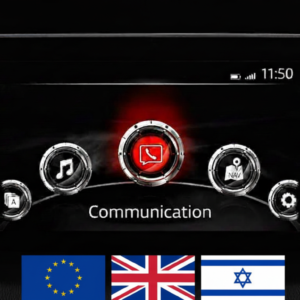
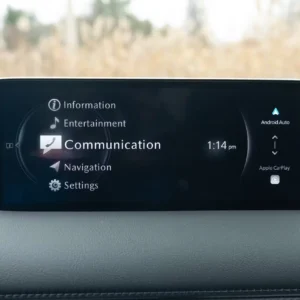
Note: Not compatible with Mazda Connect System 2 (10.25″ / 26cm displays). Only for 1st Gen systems (icons in a semi-circle).
✨ Key Firmware Features & Fixes
-
Connectivity: Full support for Apple CarPlay™ and Android Auto™.
-
Visual Enhancements: Improved fonts and layout for i-stop, i-ELOOP, and Fuel Economy Monitor. Updated CarPlay brand icons.
-
Status Bar Fix: Resolves the “white stain” issue appearing in the status bar on the home screen.
-
SiriusXM Fix: Corrects the “greyed out” block letters on Fuel Prices and Parking screens when using SiriusXM Travel Link.
-
Gracenote: Includes the latest music metadata database update.
✅ Upgrade Path – Read Carefully
Two-Step Update Required: If your current firmware is v56.00.000A or BELOW, you MUST install version 70.00.100A first (Two-file installation: Failsafe then Reinstall).
Direct Update (Single File): If your current version is v56.00.100 or NEWER (e.g., 56.00.200, 58.00.xxx, 59.00.xxx, 70.00.xxx), you can update directly to v74.00.324A.
📥 Installation Requirements
-
USB Drive: 4GB to 16GB (Strictly FAT32 formatted).
-
Time: Approx. 15–30 minutes.
-
Instant Access: Digital product – download link provided immediately after payment.
🛠️ Installation Instructions
Step 1: Preparation
-
Format your USB stick to FAT32.
-
Copy the .up file to the root directory (do not use folders).
-
Crucial: Disconnect all devices from USB ports and remove the Navigation SD card before starting. Re-insert it only after the update is complete.
Step 2: Enter Diagnostic Mode
-
Turn vehicle to ACC or ON mode (Keep engine running for stable power).
-
Press and hold: Music Note + Favorites + Mute (Volume) for about 5 seconds.
-
Navigate to: System Update > Search for Update.
Step 3: Update Process
-
The system will detect the file. Confirm to start.
-
Warning: Do not power off the vehicle or remove the USB until “Update Successful” appears. The system will reboot automatically.
Disclaimer: This update covers original Mazda systems only. We are not liable for malfunctions in aftermarket accessories or non-genuine components.
charlie obryan –
I have been looking for these files everywhere and could’nt find them anywhere. Thank god for this site. now i can update to the latest firmware version for my old cx-5.
Wesley –
At first, I didn’t know which firmware to buy for my region, so I contacted them via WhatsApp. They promptly assisted me, suggested which firmware to purchase, and warned me about the possible issues I might face, since I was installing a firmware different from my region’s (JP). With their help, they were very patient with me and I successfully completed the installation, and so far I haven’t noticed any issues. I’ll keep monitoring and might install the latest version next.
I definitely recommend mazdafiles.