Contact Our Support Team
General Inquiries & Support
Have a question about an update or need assistance with your purchase? We are here to help. For the fastest service, please include your vehicle model, year, and region in your message.
Can’t Find a Specific Update?
We can source almost any official Mazda firmware file. If you cannot find the specific version you need in our shop, please contact us. Please Note: To provide the correct file, we require a clear photo of your current software version screen. We cannot diagnose or source the required update without this information.
Identify Your System Version
To ensure you receive the correct firmware, please follow the guide for your system type and send us a photo of the version screen as shown in the examples below.
Option 1: Mazda Connect 1 (2014–2021)
For older models with the rotary dial and smaller screen.
How to find it: Go to Settings > System > About > Version Information.
What to send: Your photo should look exactly like the example below, showing the Firmware Version.

Click here to learn how to find your current Connect Firmware Version.

Option 2: Mazda Connect 2 (2021+ & Newer Models)
For newer models with the wide-screen interface.
How to find it: Please refer to the specific steps in our dedicated guide to locate the Firmware Version of your CMU.
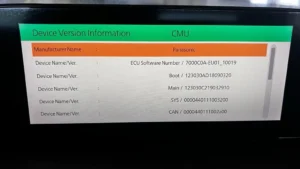
What to send: Your photo should look exactly like the example below, showing the “Component: CMU” version.

Click here to learn how to find your current Connect 2 Firmware Version.