
Product Overview
This firmware update (Version 56.00.513B) is a critical intermediate update or reinstallation package for the Mazda Connect 1st Generation system. It is specifically used as a mandatory stepping stone for vehicles with old software versions.
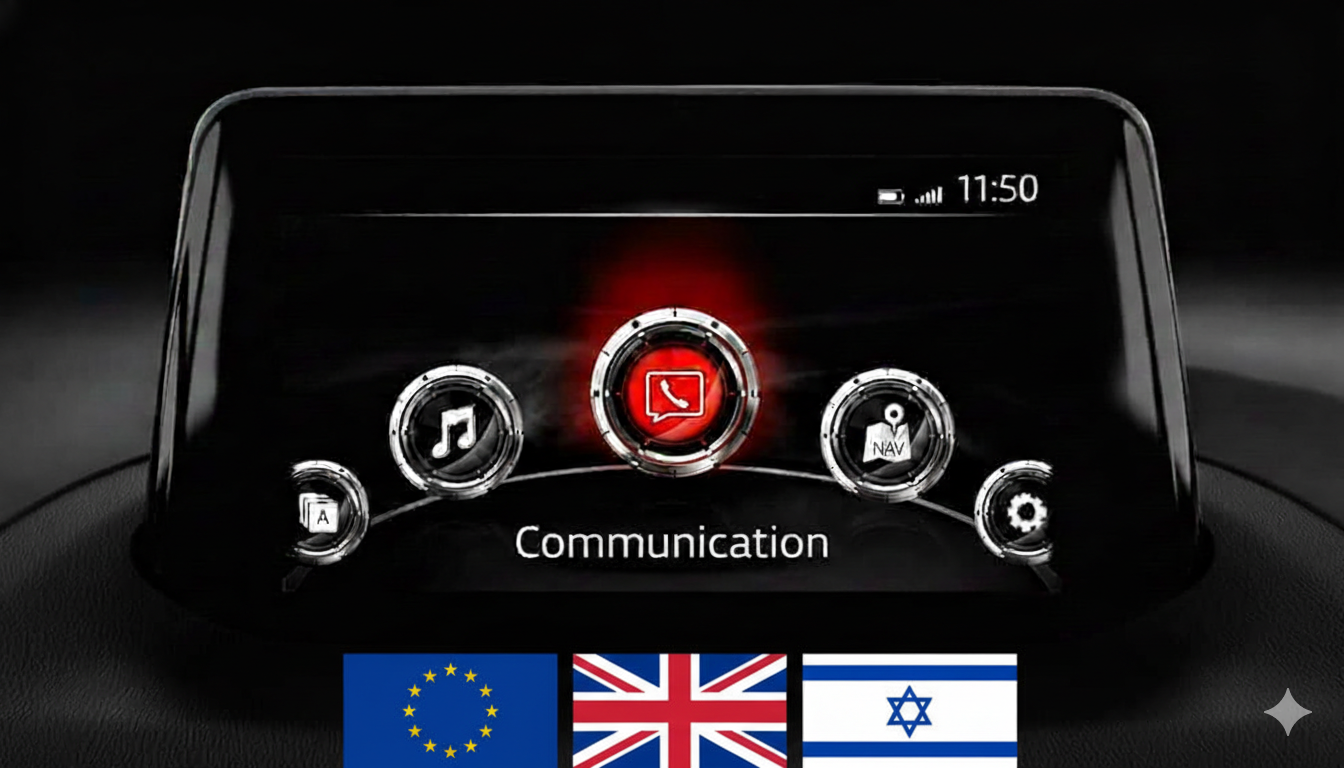
Important: This firmware is only for cars with the main menu layout display with icons in a semi-circle.
Regional Compatibility
Region Code: EU (Europe) Supported countries: Albania, Andorra, Austria, Belarus, Belgium, Bosnia, Bulgaria, Croatia, Czech Republic, Denmark, Estonia, Finland, France, Germany, Gibraltar, Greece, Hungary, Iceland, Ireland, Italy, Kosovo, Latvia, Liechtenstein, Lithuania, Luxembourg, Macedonia, Malta, Moldova, Monaco, Montenegro, Netherlands, Norway, Poland, Portugal, Romania, Russia, San Marino, Serbia, Slovakia, Slovenia, Spain, Sweden, Switzerland, Turkey, Ukraine, United Kingdom, Vatican.
Applicable Models
- Mazda 3: 2012–2019
- Mazda 2: 2012–2021*
- Mazda 6: 2012–2021**
- CX-3: 2014–2021
- CX-5: 2012–2021**
- CX-9: 2015–2021*
- MX-5 Miata: 2014–2024*
Critical Compatibility Notes:
- Not for Connect 2 System: Not compatible with 10.25-inch (26 cm) displays.
AIO Tweaks Compatibility (Special Note)
Ultimate Version for Customization: Version 56.00.513B is the final and most stable version for the Europe region that allows for the easy installation of Mazda AIO Tweaks via USB without requiring a serial connection. If you wish to maintain the ability to install custom scripts, video players, or touch-screen-while-driving patches, do not update beyond this version.
Upgrade Path – Read Carefully
If your current firmware is v30.00.000 or BELOW, you MUST install an earlier intermediate version (like v31.00.100A) FIRST before attempting to update to this version.
This is a TWO-FILE Installation:
- First, install:
cmu150_EU_56.00.513B_failsafe.up - Then, install:
cmu150_EU_56.00.513B_reinstall.up
Installation Requirements
- USB Drive: 4GB to 16GB (Strictly FAT32 formatted). Do not use drives larger than 16GB.
- Time: Approx. 30–50 minutes.
- Power: Ensure a healthy vehicle battery or keep the engine running during installation.
Installation Instructions
Step 1: Preparation
- Format your USB stick to FAT32.
- Copy both .up files directly to the root directory (do not use folders).
- Crucial: Disconnect all devices from USB ports and remove the Navigation SD card before starting.
Step 2: Enter Diagnostic Mode
- Turn vehicle to ACC or ON mode.
- Press and hold: Music Note + Favorites + Mute (Volume) for about 5 seconds.
Step 3: Update Process
- Go to System Update > Search for Update.
- The system will detect the files. Follow the sequence: Install Failsafe first, then Reinstall.
- Warning: Do not power off the vehicle or remove the USB until the process is complete.
What’s Included
- Firmware Files: Both Failsafe and Reinstall files for v56.00.513B.
- Step-by-Step PDF Guide: A comprehensive manual is attached to the update files for your convenience.
Disclaimer: This update covers original Mazda systems only. We are not liable for malfunctions in aftermarket accessories or non-genuine components.
Reviews
There are no reviews yet.