
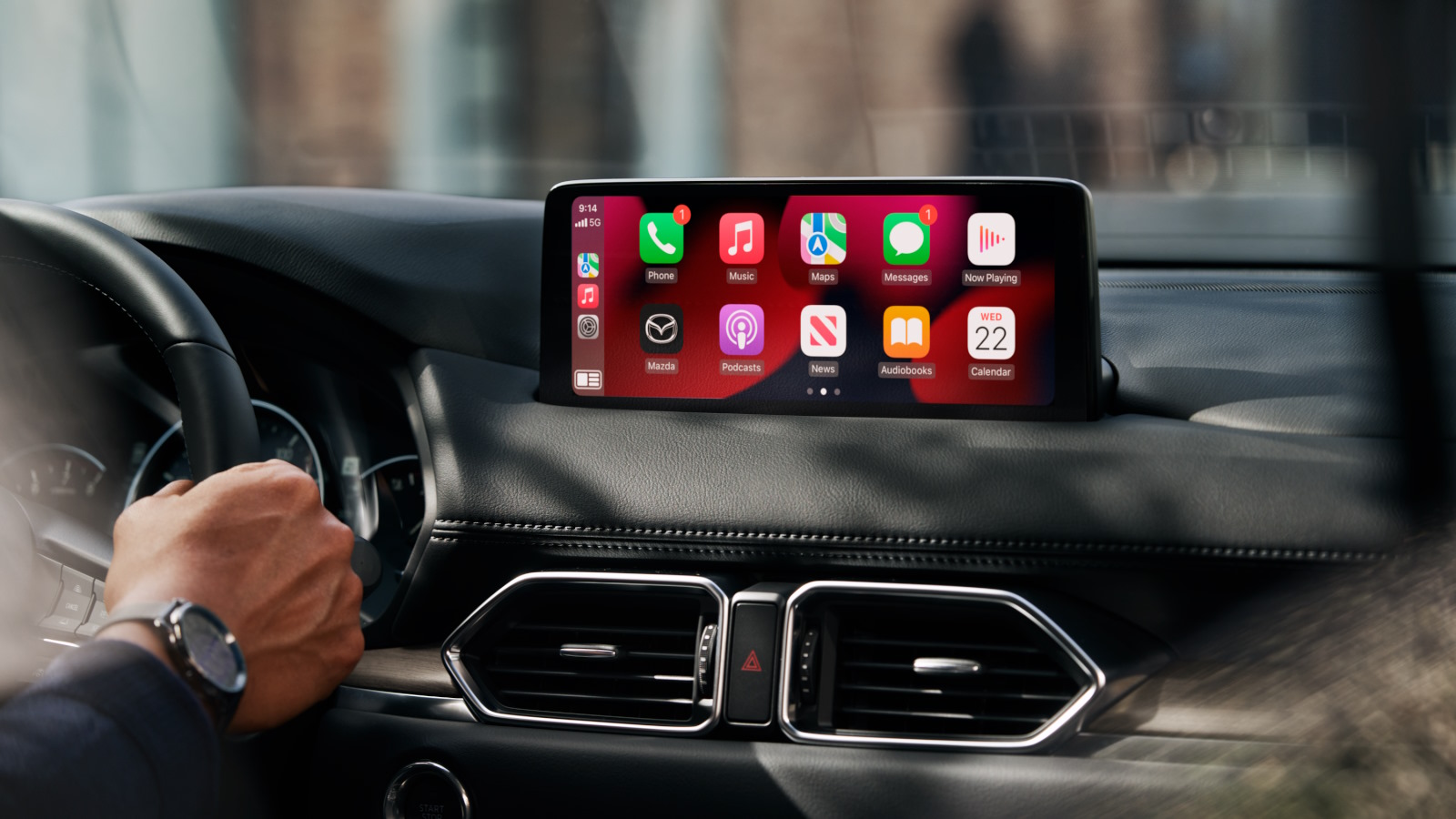
Firmware Overview
- File name:
CMU_7000C0A-NA03_11048.kwi - Model compatibility: Mazda CX-5 and CX-9
- Years supported: 2021 – 2023
- Region: North America – Usa, Canada, Mexico, Puerto Rico
- System: Mazda Connect (7th Generation / Connect 2)
✅ This firmware is intended for vehicles sold in United States, Canada, Mexico & Puerto Rico
🚗 Compatible Vehicle Models
Model Years Supported Market Region Mazda CX-52021–2023 United States, Canada, Mexico Mazda CX-9 2021–2023 United States, Canada, Mexico
🧰 Installation Requirements
- USB flash drive (FAT32 formatted) – minimum 4 GB
- Access to the Mazda Connect infotainment system
- Good vehicle battery or engine running during installation
- Approximately 15–30 minutes
📥 How to Check Your Current Firmware Version
- Turn on your vehicle (ACC or ON mode).
- Press and hold the following three buttons at the same time:
- Music Note + Favorites + Mute (Volume)
- The Diagnostic Menu will appear.
- Navigate to:
Version Information > Connected Device > CMU - Your current software number will be displayed. If it’s lower than
11048, you can safely update.
🛠️ Installation Instructions
⚠️ Please follow all steps carefully. Do not power off the vehicle or remove the USB drive during the process.
- IMPORTANT: This update covers original Mazda systems only. We are not liable for malfunctions in aftermarket accessories (Navigation SD cards, cameras, etc.) installed by local importers. Please consult your local installer for issues related to non-genuine components. For a smooth installation, we recommend disconnecting all devices from USB ports and removing the Navigation SD card during the update process. you can insert it back ONLY after update procedure is complete.
- A step by step PDF guide is included for download.
Step-by-step Guide:
- Prepare USB Drive:
- Format the USB stick using FAT32 format.
- Copy
CMU_7000C0A-NA03_11048.kwito the root directory (not inside any folders).
- Insert USB and Start Vehicle:
- Insert USB into the front USB port.
- Start the vehicle or place it in ACC mode (ensure stable power supply).
- Enter Diagnostic Mode:
- Press and hold: Music Note + Favorites + Mute (Volume) for about 5 seconds.
- The Diagnostic Test Screen will appear.
- Start Firmware Update:
- Navigate to:
System Update>Search for Update - The system will detect the update file.
- Confirm to start the update process.
- Navigate to:
- Wait for Completion:
- The process will take 15–30 minutes.
- Keep the vehicle on and do not remove the USB.
- System will reboot automatically when done.
- Confirm Update:
- Re-enter the Diagnostic Menu and verify that the software version is now
11048.
- Re-enter the Diagnostic Menu and verify that the software version is now
🧑🔧 Troubleshooting Tips
- USB not detected?
- Ensure file is correctly named and placed in the USB root
- Use a FAT32-formatted USB drive (4–16 GB works best)
- Update won’t start?
- Try another USB stick
- Redownload the file to avoid corruption
📌 Important Notes
- This update is specific to North American Mazda vehicles (U.S.A., Canada, Mexico).
- Do not install on vehicles imported from Europe, Asia, or other regions.
- Ensure stable power during the entire update. If unsure, leave the engine running.
Lola –
I do not know from where you’re getting your information about mazda cars, but great topic.
Thanks for magnificent information I used to be searching for this update files for my mission fixing my bluetooth connection lags. the update fixed it at once. tnx mate!
Virginia –
Cool blog for mazda! Is your theme custom made or did you download it from somewhere?
A theme like yours with a few simple tweeks would really make my blog
jump out. Please let me know where you got your design. by the way, the file i bought was installed without any issue, so keep up the good work. Cheers
Mildred –
whoah this site is wonderful i like studying your articles.
Stay up the good work! You recognize, lots of persons
are hunting around for this information, you can aid
them greatly.