

Product Overview
This firmware update (Version 31.00.100A) is a critical intermediate update or reinstallation package for the Mazda Connect 1st Generation system. It is specifically used as a mandatory stepping stone for vehicles with very old software versions.
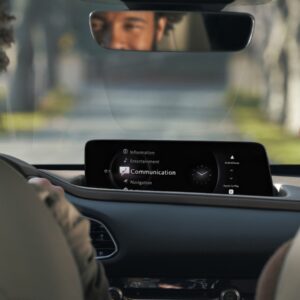
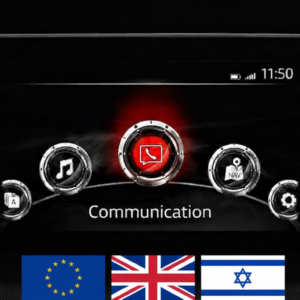
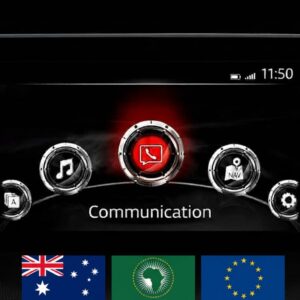
Important: This firmware is only for cars with the main menu layout shown in the photo (7-inch display with icons in a semi-circle).
🌍 Regional Compatibility
Region Code: ADR (Oceania, Asia, Middle East, Africa) Supported countries: Australia, New Zealand, Christmas Island, Fiji, Indonesia, Kangaroo Island, Malaysia, Middle East (Qatar, Saudi Arabia, etc.), Oceania, Papua New Guinea, Philippines, Singapore, South Africa/Africa, South America (Most countries), Asia (excluding Japan/China), Tasmania, Thailand.
🚗 Applicable Models
-
Mazda 3: 2012–2019
-
Mazda 2: 2012–2021*
-
Mazda 6: 2012–2021**
-
CX-3: 2014–2021
-
CX-5: 2012–2021**
-
CX-9: 2015–2021*
-
MX-5 Miata: 2014–2024*
⚠️ Critical Compatibility Notes:
-
Not for System 2: Not compatible with 10.25-inch (26 cm) displays.
-
Not for TomTom: NOT for first-production CX-5 or Mazda 6 models equipped with TomTom Navigation units.
✅ Upgrade Path – Read Carefully
If your current firmware is v30.00.000 or BELOW (e.g., 23.00.000, 25.00.150, 28.00.300, 29.00.100C), you MUST install this version (31.00.100A) FIRST before attempting to update to newer versions like v70 or v74.
This is a TWO-FILE Installation:
-
First, install:
cmu140_NA_31.00.100A_failsafe.up -
Then, install:
cmu140_NA_31.00.100A_reinstall.up
📥 Installation Requirements
-
USB Drive: 4GB to 16GB (Strictly FAT32 formatted). Do not use drives larger than 16GB.
-
Time: Approx. 15–30 minutes.
-
Power: Ensure a healthy vehicle battery or keep the engine running during installation.
🛠️ Installation Instructions
Step 1: Preparation
-
Format your USB stick to FAT32.
-
Copy both .up files directly to the root directory (do not use folders).
-
Crucial: Disconnect all devices from USB ports and remove the Navigation SD card before starting.
Step 2: Enter Diagnostic Mode
-
Turn vehicle to ACC or ON mode.
-
Press and hold: Music Note + Favorites + Mute (Volume) for about 5 seconds.
-
Navigate to: Version Information > Connected Device > CMU to verify your current version.
Step 3: Update Process
-
Go to System Update > Search for Update.
-
The system will detect the files. Follow the sequence: Install Failsafe first, then Reinstall.
-
Warning: Do not power off the vehicle or remove the USB until the process is complete.
📦 What’s Included
-
Firmware Files: Both Failsafe and Reinstall files for v31.00.100A.
-
Step-by-Step PDF Guide: A comprehensive manual is attached to the update files for your convenience.
Disclaimer: This update covers original Mazda systems only. We are not liable for malfunctions in aftermarket accessories or non-genuine components.
James Kerly –
Did’nt even know i had to update my car system until i read these guides and found my system is Obsolete. customer service guy helped me a lot.