Mazda All Models Firmware Update v70.00.367 EU (Europe/UK/Israel, 2014-2021)

$ 15.00

Guaranteed Safe Checkout With Gumroad

This firmware version/format (.up) will not be installed on new Mazdas (2022 and above). You must use the correct region for your Mazda, as detailed below.

70.00.367A EU N for EUROPE – Albania, Andorra, Austria, Belarus, Belgium, Bosnia, Bosnia Herzegovina, Bulgaria, Croatia, Czech, Denmark, Estonia, Finland, France, Germany, Gibraltar, Greece, Hungary, Ireland, Israel, Italy, Kazakhstan, Kosovo, Latvia, Liechtenstein, Lithuania, Luxembourg, Macedonia, Malta, Moldova, Monaco, Montenegro, Netherlands, Norway, Portugal, Poland, Romania, Russia, San Marino, Serbia, Slovakia, Slovenia, Spain, Sweden, Switzerland, Turkey, Ukraine, United Kingdom, Vatican.

APPLICABLE MODEL(S):
2014-2018 Mazda3
2014-2021 Mazda2*
2015-2021 Mazda6
2014-2021 CX-3
2015-2021 CX-5*
2015-2021 CX-9*
2014-2024 MX-5*

* Not for Mazda Connect System 2 with 10,25 inches / 26 cm display. Only for Mazda Connect 1 gen.

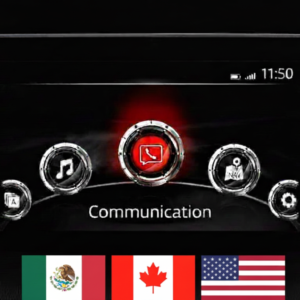
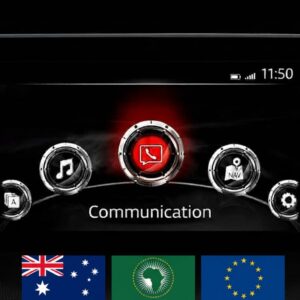
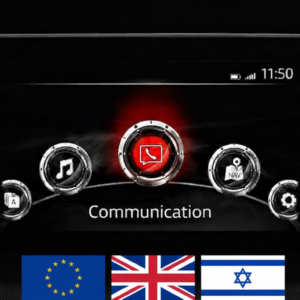
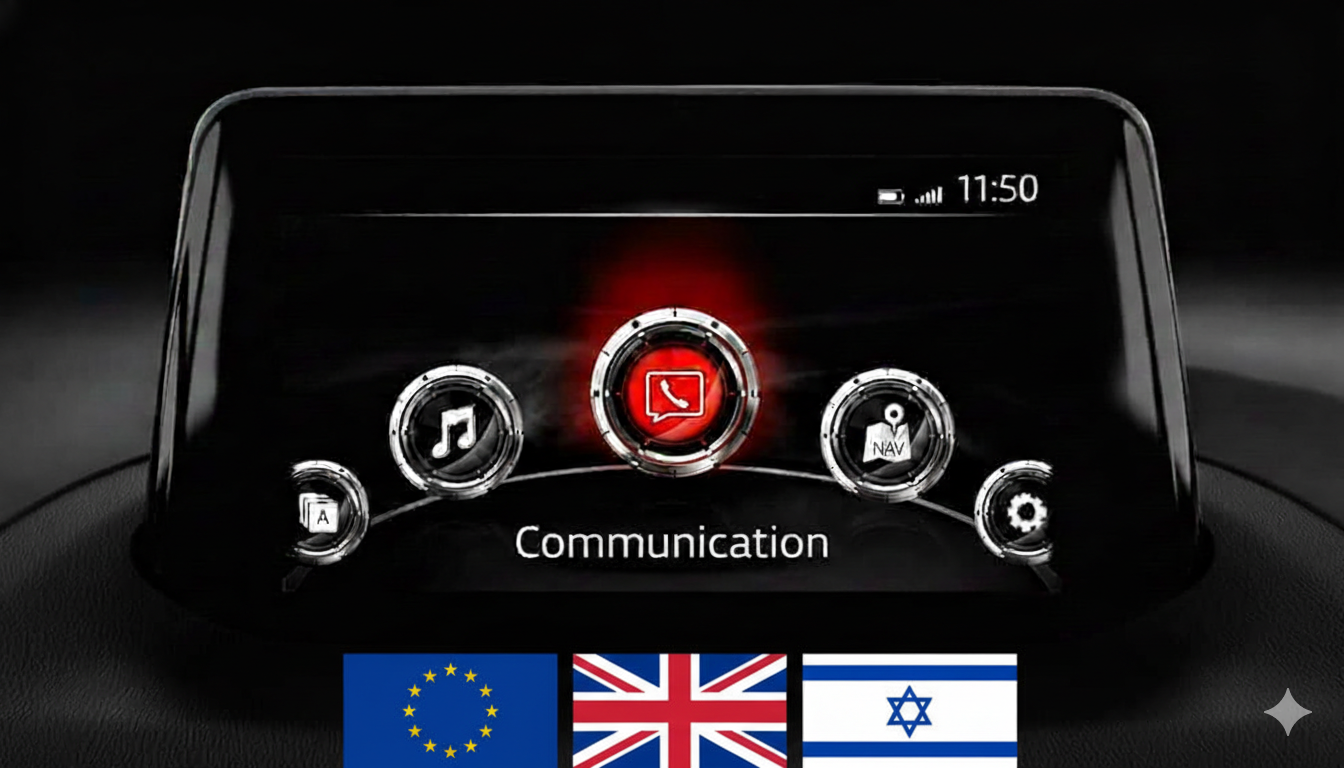
If you don’t know what is Mazda connect and Mazda connect 2 – this firmware is only for cars with a main menu on the screen that looks exactly like the one in the photo above.

  • READ CAREFULLY BEFORE INSTALLING (INSTALLATION INSTRUCTIONS ARE AT THE BOTTOM OF THIS PAGE):
  • IF YOUR MAZDA HAS FIRMWARE VERSION ON or ABOVE 70.00.021A, such as 70.00.100A or 70.00.110 or 70.00.130 or 70.00.150A or 70.00.335C    ->THEN YOU UPDATE to 70.00.367A for the LATEST FIRMWARE. This is now a SINGLE FILE ONLY INSTALLATION for
    YOUR REGION or COUNTRY. use EU N_70.00.367-UPDATE.UP.                                                                                                                                                                                  ———————————————————————————————————————————————

Bug Fixes

The following symptoms can be improved by the latest software (Ver. 70.00.367). Improved symptoms depend on current software versions.

• In the CMU update package, latest Gracenote® database has been included.
• [Ukraine] Key board shows wrong description for space key.
• [V59.00.502 and later] When playing audio files in a USB memory device, it may take too long to start playing.
• When radio is selected for audio source and a hands free call is finished, radio sounds for a very short period of time even when it is muted.
• After engine start, navigation screen freezes at the loading status.
• When USB is selected for audio source, if the gear is shifted to reverse to display backup monitor while loading data from a USB device, shifting operation to drive or forward gear changes the screen to the home screen instead of the USB audio screen.
• When using 2017-Q2 EU or older map data, voice message for speed camera does not sound at certain locations. (With the improved software, customers need to update the map data to later version.)
• When an artist is selected via voice command for USB audio, wrong artist’s album may be selected.
• After parking, current location on navigation screen may not move until turning the ignition off and on.
• [Android Auto used at the south latitude or the west longitude] When ACC is on or engine is running in a location where GPS signal is unavailable, a wrong current location appears on applications such as navigation, weather forecast etc. When GPS signal becomes available, correct current location appears. (CarPlay is not applicable.)
• Incorrect translation
• [With map version 17Q2 or newer] The map does not display directions for public transportation lanes.
• [Except English] The translation of the message for the rear camera is incorrect.
• The function for notifying technical maintenance (except for using flexible schedule mode) may stop counting after replacing the instrument panel. The counting will resume after resetting to factory settings.
• [Czech, Greek] The time zone selection may work incorrectly.
• [Ukrainian] Some characters may not be displayed.
• The navigation screen may display speed restrictions in the opposite direction. (To fix this, the map version must be 19Q2 or later in addition to updating CMU.)
• Registered phone numbers, including pause symbols, that are saved as favorites may not be dialed, and the “Loading” message may be displayed constantly.
• The display off function does not work, and if activated, the road name, etc. will be displayed at the top of the screen.
• Information (performer, song title, album, etc.) for a track on a USB audio device may not be displayed.
• [Ukrainian] Incorrect translation.
• [Ver. 70.00.110 or newer] Some USB audio devices (SONY NW-A45 and NW-A35, etc.) may not be recognized.
• Some Android smartphones (HUAWEI P20, P30 Pro, and Mate 20 Pro, etc.) may not work as a USB audio device.
• Information about the country (such as speed limit or alcohol) on the navigation screen may be incorrect. (To fix this, the country information was removed in the latest version.)
• Information (performer, song title, album, etc.) for a file in the ogg format on a USB audio device may be displayed incorrectly.
• The playlist may not work for a USB audio device with Android 9 or newer OS version.
• The playlist may not work for certain USB audio devices (HUAWEI P20 Pro with Android 8.1 OS, etc.) if they are used as USB audio devices.
• [Slovak] Slovak words for “Recently Used” may not be fully displayed on the keyboard language selection screen.
• CMU may restart while playing CD/DVD.
• The CMU may reboot while driving.
• Changes to sound settings (Bass, Treble, Fade, Balance) may not be saved after entering sleep mode.
• [With the Traffic Sign Recognition system (TSR)] In ACC-ON mode, incorrect navigation settings are displayed (speed limit violations, speed limits).
• During playback of tracks from a USB memory stick, artist and album names may be displayed as “unknown.”
• During playback of tracks from a USB memory stick, a specific MP3 file may fail to play and instead display a “Loading” message.
• Some favorite resources may be duplicated, but editing or deletion may be prohibited.
• Immediately after starting the engine and attempting to use the 360° view system, the user will see a black screen for 20 seconds.
• When shifting into reverse, the image of what is happening behind the vehicle does not appear.
• With the improved software, System Update screen menu shows “Update package” instead of “Reinstallation Package”. “Fail-Safe Package” has been removed.
• With the improved software, brand icon in CarPlay screen has been updated.
• With the improved software, font and location of texts like i-stop, i-ELOOP and average data in Fuel Economy Monitor screen have been improved.
• In home screen, white stain appears at the status bar.
• [MX-5 RF] When talking on BT hands-free, person at the other end hears strange voice like with echoes.
• [Mazda6 (VIN 600001-TBD)] Center display turns to a black screen due to that the back light of the display turns off.
• [UK] In LAS and LDWS setting menu, “Rumble” appears as “Rumbl.”.
• Display OFF setting is not kept when ignition switch is turned off and on before CMU goes into sleep mode.
• When certain language using Cyrillic alphabet is selected and USB is selected for audio source, index list for Songs or Artist screen etc. shows wrong character for “b”.

  • Installation Requirements
  • USB flash drive (FAT32 formatted) – minimum 4 GB, maximum 16 GB (do not use higher volume flash drive)
  • Access to the Mazda Connect infotainment system
  • Good vehicle battery or engine running during installation
  • Approximately 15–30 minutes

  • 📥 How to Check Your Current Firmware Version
  1. Turn on your vehicle (ACC or ON mode).
  2. Press and hold the following three buttons at the same time:
    • Music Note + Favorites + Mute (Volume)
  3. The Diagnostic Menu will appear.
  4. Navigate to:
    Version Information > Connected Device > CMU
  5. Your current software number will be displayed. If it’s lower than 11048, you can safely update.

  • 🛠️ Installation Instructions
  • ⚠️ Please follow all steps carefully. Do not power off the vehicle or remove the USB drive during the process.
  • IMPORTANT: This update covers original Mazda systems only. We are not liable for malfunctions in aftermarket accessories (Navigation SD cards, cameras, etc.) installed by local importers. Please consult your local installer for issues related to non-genuine components. For a smooth installation, we recommend disconnecting all devices from USB ports and removing the Navigation SD card during the update process. you can insert it back ONLY after update procedure is complete.
  • Step-by-step Guide:
  1. Prepare USB Drive:
    • Format the USB stick using FAT32 format.
    • Copy the update file you downloaded here to the root directory (not inside any folders).
  2. Insert USB and Start Vehicle:
    • Insert USB into the front USB port.
    • Start the vehicle or place it in ACC mode (ensure stable power supply).
  3. Enter Diagnostic Mode:
    • Press and hold: Music Note + Favorites + Mute (Volume) for about 5 seconds.
    • The Diagnostic Test Screen will appear.
  4. Start Firmware Update:
    • Navigate to: System Update > Search for Update
    • The system will detect the update file.
    • Confirm to start the update process.
  5. Wait for Completion:
    • The process will take 15–30 minutes.
    • Keep the vehicle on and do not remove the USB.
    • System will reboot automatically when done.
  6. Confirm Update:
    •  Re-enter the Diagnostic Menu and verify that the software version is the latest.

Reviews

There are no reviews yet.

Be the first to review “Mazda All Models Firmware Update v70.00.367 EU (Europe/UK/Israel, 2014-2021)”

Your email address will not be published. Required fields are marked *

Shopping Cart
mazda connect v70.00.100 EUMazda All Models Firmware Update v70.00.367 EU (Europe/UK/Israel, 2014-2021)
$ 15.00