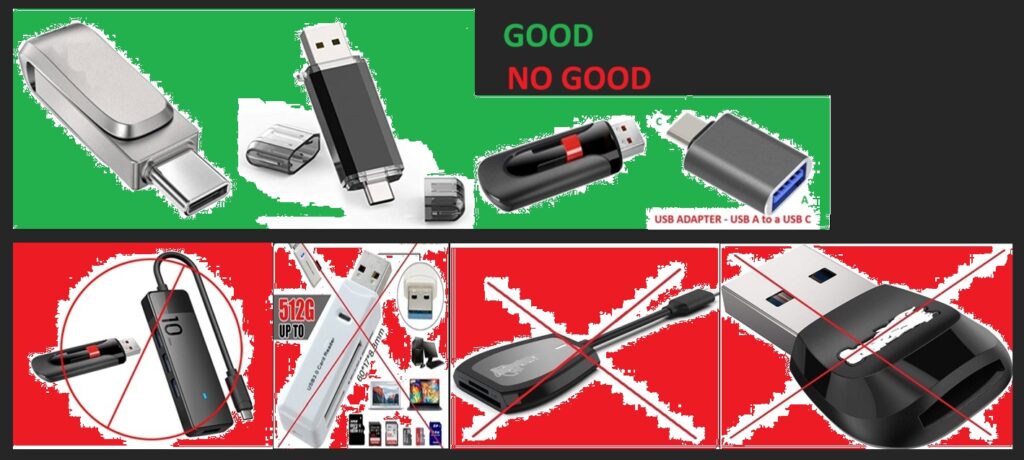
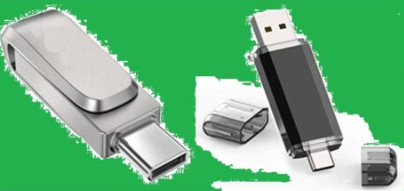
To ensure your USB Drive is 100% ready for copying the new firmware update file, you must format the drive using FAT32 file system.
you copy/paste the update file(s) over into your new USB Flash Drive or Pen-Drive.
HOW TO FORMAT https://www.wikihow.com/Format-a-Flash-Drive.
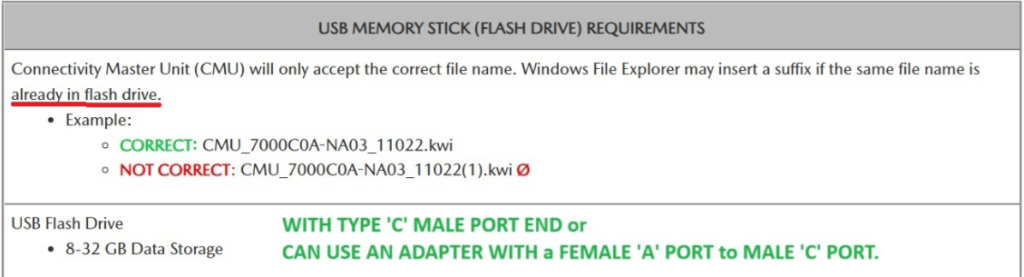
The Inside your Drive MUST be 100% EMPTY BEFORE you start to add any Mazda Update Files into it, a re-Formatting of the NEW USB Flash or Pen-Drive to FAT32 will do this.
Even using your good old faithful small USB Flash Drive must be re-formatted again and is usually the best USB Driver to use, BUT these oldies are usually USB A not with USB C male port connector.
Just buy a small ‘ADAPTER’ USB A Female to USB C Male Adapter works perfectly if your car has a USB C Port.
the BEST USB FLASH DRIVES Up to 32GB are the best flash drive for the update process.
IF YOU DO NOT RE-FORMAT YOUR USB DRIVE YOUR MAZDA CMUWILL NEVER SEE THE NEW FILE and WILL NOT START THE UPDATE PROCESS.